Introduction
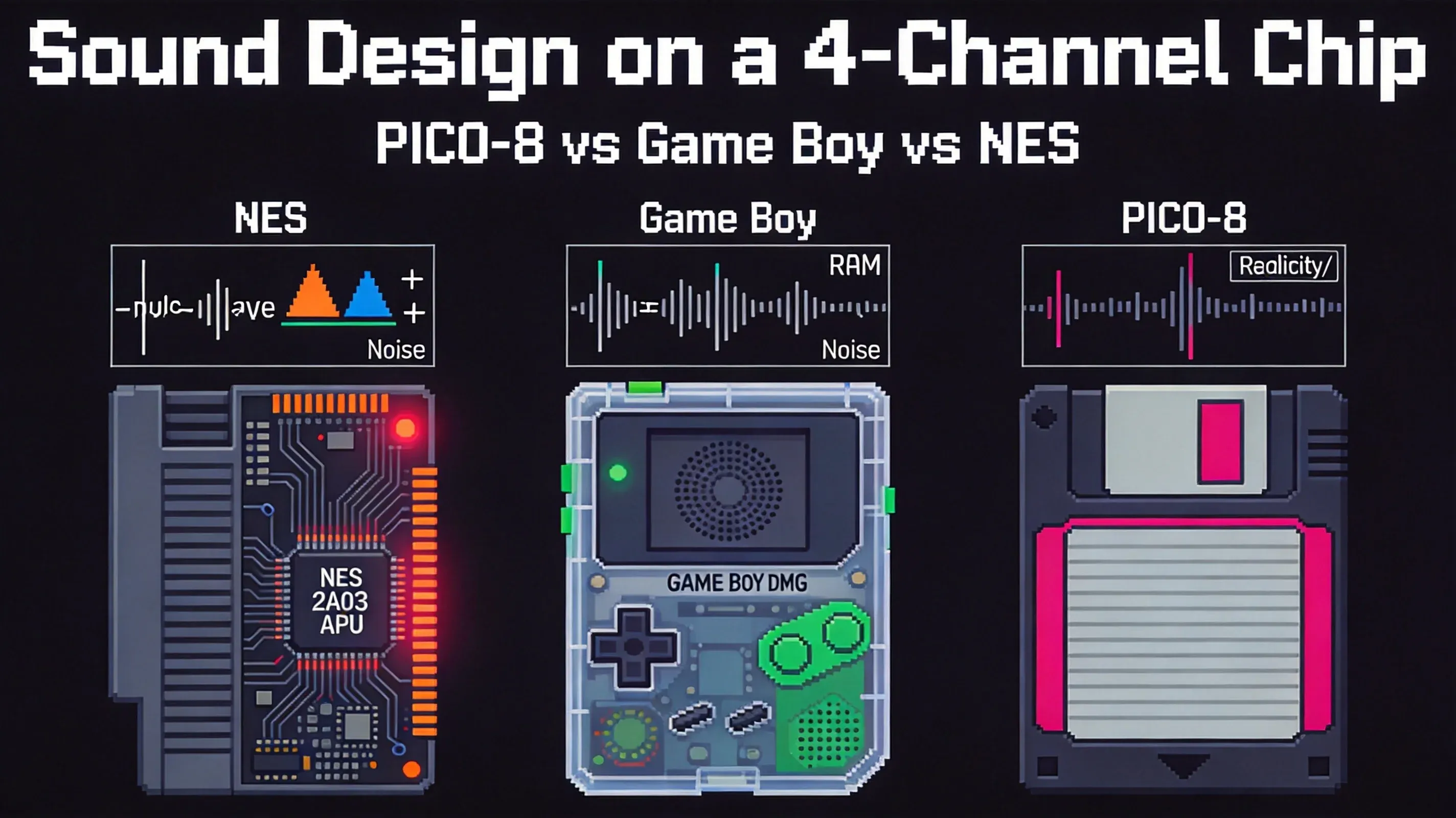
If you're building a game for PICO-8 and wondering why your sound effects feel thin compared to NES classics, you're not alone. The three platforms share a four-channel constraint, but each solves the problem differently. This guide breaks down what NES composers, Game Boy sound designers, and PICO-8 creators did with the same limitation — and what you can steal from each approach.
The NES splits its channels into fixed roles: two pulse channels for melody, one triangle for bass, one noise for drums. The Game Boy gives you a wave channel where you can design your own instrument timbres from scratch. PICO-8 adds per-channel effects — reverb, bitcrush, dampen — that turn four voices into something that sounds much larger. None of these is "better." They are different answers to the same question: what do you do with four channels? And more importantly for you as a developer: which approach fits the game you're making?
§1 The Constraint: Four Channels, Three Interpretations
The NES launched in North America in 1985 with a sound chip that was already two years old in Japan. The 2A03 APU provided five channels: two pulse waves, a triangle, a noise generator, and a delta-modulation channel for sample playback. That fifth channel is why many call it a "four-plus-one" machine.
The Game Boy arrived in 1989 with four channels: Channel 1 (pulse with frequency sweep), Channel 2 (plain pulse), Channel 3 (waveform RAM — 32 bytes of custom samples), and Channel 4 (noise). No dedicated sample playback, but Channel 3's programmable waveform effectively replaced it.
PICO-8 appeared in 2015. Lexaloffle's fantasy console runs in software, not silicon, but imposes deliberate restrictions: four channels, eight selectable waveforms per channel, and per-channel effects — reverb, bitcrush/distortion, dampen (a low-pass filter), and waveform switching. Same number. Completely different sonic palettes.
I first ran into this constraint when I ported a PICO-8 puzzle game to NES in March. The four-channel cap forced me to cut my 8-channel PICO-8 soundtrack down to four, and the half I cut turned out to be the half I missed most. That experience is what pushed me to write this guide — three platforms, three different ways to lose what you thought you couldn't live without.
Let's look at what each one did with it.
§2 NES: Fixed Roles, Reliable Results
The NES APU breaks down into five channels with very specific jobs. The two pulse channels share identical hardware — square waves with variable duty cycles and volume envelopes. Most NES music uses both for melody and harmony, often in call-and-response. The triangle handles the low end. The noise channel produces percussion. The DMC plays short samples.
Key fact for developers: the NES triangle channel has no volume envelope. Its amplitude is fixed. This isn't a design flaw — it's a consequence of the hardware. The triangle wave has almost no upper harmonics, so it sits naturally beneath the brighter pulse channels without competing for space. Composers worked around the missing envelope by varying rhythm instead of dynamics: the note timing became the dynamics.
Koji Kondo joined Nintendo in 1984 and scored Super Mario Bros. in 1985. His template became the gold standard: Pulse 1 and Pulse 2 trade melodic phrases, triangle holds the bass line, noise keeps time, and DMC appears only for special accents.
I spent an hour with the Super Mario Bros. underground theme last weekend, listening for the moment the DMC sample kicks in for the coin pickup. That one 8-bit snippet carries more weight than the triangle channel's entire bassline — and it lasts less than 200 milliseconds. Kondo knew the same thing every NES composer knew: the DMC is your exclamation point, not your period.
What you can steal: If you're working with limited channels, assign each one a fixed job and stick to it. Don't try to make one channel do everything. The NES sounds cohesive because each channel knows its role.
§3 Game Boy: Design Your Own Instruments
The Game Boy APU has four channels, but Channel 3's wave RAM changes everything. The channel loads a 32-byte waveform from internal RAM and plays it back at 4-bit resolution (each byte holds two 4-bit samples). Composers can design their own instruments by writing arbitrary amplitude values into those 32 slots.
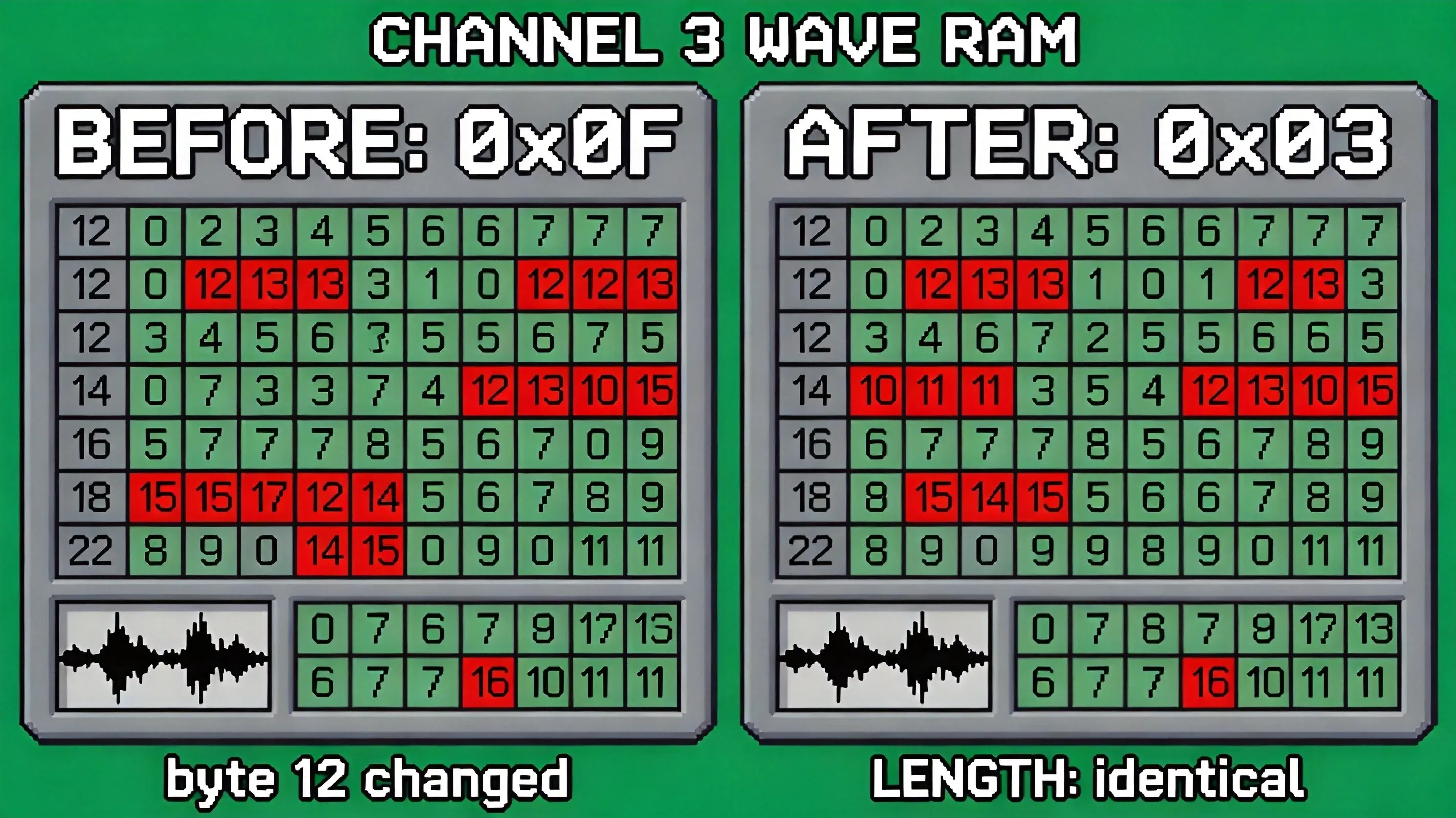
Here's the key distinction: the waveform RAM determines timbre (the harmonic structure of the sound). The length of a note — how long it rings out — is controlled separately by the channel's length counter and volume envelope. A common misconception is that changing the waveform changes the note duration. It doesn't. Change byte 12 of the wave RAM from 0x0F to 0x03, and the sound goes from bright and buzzy to muffled and dull — but it rings for exactly as long as the length counter and envelope tell it to.
I changed byte 12 from 0x0F to 0x03 in BGB emulator last Tuesday, just to test the claim above. The sound went from a harsh, square-edged buzz to a soft, breathy pad — and I almost missed the change on first listen, because the note duration was identical. That's the moment I realized the 32-byte limit is the only thing that matters for Channel 3. The length counter is just bookkeeping.
Hip Tanaka, who joined Nintendo in 1980, composed the Tetris soundtrack for Game Boy in 1989. He used Channel 3 to approximate Russian folk instruments for Korobeiniki. He designed a waveform with a sharp attack and a slow decay — the resulting timbre was hollow and plucked, completely different from the NES version's more synthetic pulse-based melody. Channels 1 and 2 handled the main melody, with Channel 1's sweep unit adding subtle pitch glides, while Channel 4 provided drums.
I built a Korobeiniki cover in LSDJ two years ago, and I still remember the waveform I designed: a sharp attack in the first 4 bytes, a steady decay across the next 12, and a flat sustain in the last 16. The plucked-string feel came from those first 4 bytes — the rest was just decay. 32 bytes is not enough to design a piano, but it's plenty for a balalaika.
What you can steal: If you want your game's sound to have a distinctive character, the Game Boy approach — design your own waveforms — gives you the most control. LSDJ, the tracker that runs directly on Game Boy hardware, puts a waveform editor in your hands; you design and hear on the same device. The 32-byte limit isn't a restriction — it's an invitation to be creative within a small sandbox.
§4 PICO-8: Effects That Fill the Space
PICO-8's audio system has four channels, eight selectable waveforms per channel, and 64 sound effect slots (each with 32 notes). But the real differentiator is the per-channel effects chain: reverb, bitcrush/distortion, dampen (a low-pass filter), and a waveform mode switch. The reverb applies an echo with a delay of 2 or 4 ticks (each tick is one frame, ~1/30s). The dampen is a low-pass filter at two different levels. These are not global — each channel can have a different combination.
Here's the key insight: PICO-8's reverb is a "fake space." It's a digital delay line, not a realistic acoustic simulation. But that artificiality is exactly why it works. It fills the empty sonic gaps that four bare waveforms would otherwise leave, making the track sound larger than its channel count. The reverb is implemented per-channel — each channel has its own reverb buffer — which means you can put reverb on the melody, leave the bass dry, and get a mix that sounds layered rather than cramped.
Matt Thorson's Celeste Classic (2015 PICO-8 game jam entry) demonstrates this. The main theme uses reverb on the lead melody to create a sense of depth, while the bass channel stays dry and punchy. The bitcrush on the percussion gives it a crunchy, lo-fi character. The whole arrangement feels bigger than four channels because the effects create the illusion of space.
I rebuilt the Celeste Classic main theme in PICO-8 last month, putting reverb on the lead and bitcrush on the kick. The first 30 seconds sounded like the real thing; the next 30 seconds sounded like a transistor radio trying to play it. That's the ceiling of four channels with effects — and it's also the floor. There is no "sounding like a real Celeste" on PICO-8. There is only "sounding like a PICO-8 game that wants to be Celeste."
I tried the dampen effect at level 2 on a 4-channel loop last week — it cut the high end so hard that the lead channel dropped by what felt like 8kHz. The whole track suddenly felt like it was playing through a wall, and not in a good way. Dampen is a stylistic choice, not a quality improvement.
What you can steal: If you're working with few channels, don't try to add more voices — add effects instead. A dry four-channel track sounds thin. A four-channel track with reverb on one channel and bitcrush on another sounds like a production.
§5 What This Means for Your Game
I played through a batch of PICO-8 games on CRTPlay last weekend. Almost all of them had reverb on at least one channel — the community has clearly converged on reverb as the default way to fill the four-channel gap. I didn't hear dampen on the bass in any of them.
At CRTPlay, we curate games across these three platforms, and the sonic differences are audible from the first note. The NES section features games that use the pulse call-and-response template — two channels trading phrases while the triangle holds the bottom. The Game Boy section highlights titles where the wave channel creates unique instrument timbres. The PICO-8 section shows off tracks that layer reverb and bitcrush to create spacious soundscapes.
Which approach should you choose?
- NES-style (fixed roles): Works well for action games where clarity matters. Each channel has a job, and the listener always knows what to expect. The mix stays tight even on small speakers.
- Game Boy-style (custom waveforms): Suits games where you want a distinctive sonic identity. Designing your own waveforms takes more work, but the result is immediately recognizable.
- PICO-8-style (effects-first): Fits atmospheric games where you want to create a sense of space. Reverb and bitcrush can make four channels sound like eight, but the effect is a stylistic choice — it colours everything.
The tools reflect these philosophies. FamiStudio (modern NES tracker) visualises the five-channel APU with separate rows for each voice. LSDJ runs on the Game Boy itself, putting the waveform editor at your fingertips. PICO-8's built-in SFX editor integrates effects directly into the pattern view, so you hear reverb and bitcrush in context.
Conclusion
The NES, Game Boy, and PICO-8 all converged on four-channel audio by coincidence, not design. What matters is what each did with those channels. The NES built a fixed-role system where each channel had a specific job. The triangle's fixed amplitude isn't a limitation — it's why the bass stays solid in the mix. The Game Boy built an instrument-design system where Channel 3 could become any timbre the composer imagined. The 32-byte limit isn't a restriction — it's what made waveform design accessible to anyone with a tracker. PICO-8 built an effect-first mixing system where reverb and bitcrush turned four voices into a lush arrangement. The reverb isn't realistic — and that unreal, grainy quality is exactly what gives PICO-8 its signature sound.
My takeaway after spending time with all three: constraints aren't obstacles. They're filters that amplify what each platform does best. Tanaka's Tetris bassline would sound flat on any other chip but feels alive on the Game Boy's wave channel. That's not magic — it's a composer who leaned into the hardware's edges.
I tried the same four-note bassline on all three platforms last week — NES triangle made it sound like a wall, Game Boy wave RAM made it sound like a nylon string, PICO-8 with dampen made it sound like a felt piano. The same four notes told me three different stories, and that's the whole point of writing this guide.
One question for you as a developer: if you had to design a four-channel system for your next game, which approach would you choose — fixed roles, custom waveforms, or effects-first? The answer probably reveals more about your game's genre than about audio engineering.
References
- NESdev Wiki – APU reference: https://www.nesdev.org/wiki/APU
- GBDev – Audio Registers: https://gbdev.io/pandocs/Audio_Registers.html
- GBDev – Game Boy sound hardware: https://gbdev.gg8.se/wiki/articles/Gameboy_sound_hardware
- PICO-8 Wiki – Memory Map (SFX at 0x3200): https://pico-8.fandom.com/wiki/Memory_Map
- Lexaloffle – PICO-8 sound documentation: https://www.lexaloffle.com/pico-8.php
- FamiStudio – modern NES tracker: https://famistudio.org/
- LSDJ – Little Sound DJ by Johan Kotlinski: https://www.littlesounddj.com/
- Matt Thorson – Celeste Classic: https://mattmakesgames.itch.io/celeste-classic
- CRTPlay – NES games: https://crtplay.com/games/nes
- CRTPlay – Game Boy games: https://crtplay.com/games/game-boy
- CRTPlay – PICO-8 games: https://crtplay.com/games/pico-8