You're reading this on a modern display. An LCD, an OLED, a Retina screen — some panel built around the idea that sharper is better, that more pixels means more fidelity. And that's fine for this text. But the games on CRTPlay? They were designed for a different kind of screen entirely.
CRTPlay is named after cathode ray tubes — the glowing glass behemoths that sat in living rooms from the 1950s through the early 2000s. There's a certain irony: almost everyone who visits this site will play these games on a modern flat panel that renders them in a way their original developers never intended. The pixels will be too sharp, the motion too juddery, the colors too clean. The magic will be missing — and most people won't even know it.
This isn't nostalgia. It's physics. And it explains why pixel art from the 80s and 90s looks "wrong" on modern displays in ways that are hard to articulate but easy to feel.
The Physics of the Tube
A modern LCD is a fixed-pixel display. Behind the glass sits a rigid grid of millions of tiny squares. When a game tells the screen to display a pixel, that specific square lights up with hard, mathematically perfect borders. What you see is what the data says — no more, no less.
A CRT is not that.
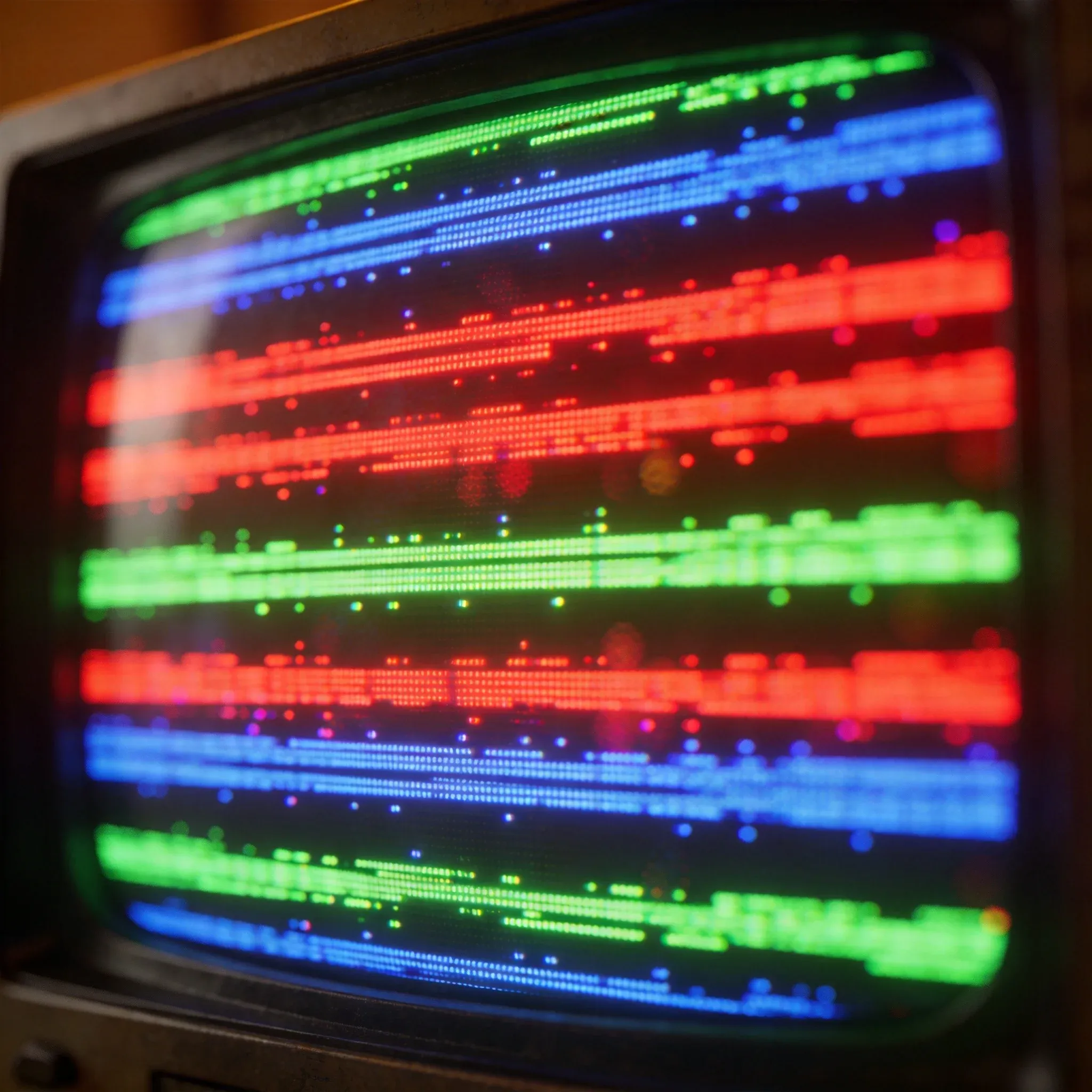
Inside every CRT sits an electron gun — a single heating element that fires a continuous beam of electrons toward the glass screen. The inside of that screen is coated with thousands of microscopic phosphors: chemicals that glow red, green, or blue when struck by the beam. The gun doesn't light the whole screen at once. It paints the image line by line, from top to bottom, roughly 60 times per second.
For a 240p signal — the standard for NES, SNES, Genesis, and most arcade hardware of the era — the electron gun skips every other horizontal line as it scans. These gaps create the dark horizontal bands known as scanlines.
This is the first thing modern displays get wrong. On a CRT, scanlines aren't a filter or an effect. They're a physical consequence of how the display works. And game artists knew they were there.
Dots, Not Squares
In 1980s Japan, the birthplace of most iconic pixel art, developers didn't think in terms of pixels. They thought in terms of dots.
The word "pixel" translates directly to Japanese (ピクセル), but the industry coined a different term: "dot" (ドット). Pixel art became "dot-e" (ドット絵) — literally "dot picture." The character "e" (絵) is the same one used in ukiyo-e, traditional Japanese woodblock prints. The analogy is deliberate: a pixel art sprite on a CRT is like a woodblock print — the data provides the structure, but the display provides the final art.
Hiroshi Ono, Namco's legendary sprite artist known as "Mr. Dotman," was instrumental in cementing this philosophy. His work on Pac-Man, Galaga, and Dig Dug defined how an entire generation of Japanese developers approached pixel art. As early as February 1983, Namco's community magazine NG described the thinking: "Because [pixel art] involves operating a computer to draw an image one dot at a time, Namco's creators call them 'dot characters.'"
This wasn't semantic hair-splitting. It reflected a fundamental understanding that pixels on a CRT were not rigid squares — they were imperfect, glowing dots of light whose edges would blend into their neighbors.
The 0.5 Dot Technique
The most direct evidence that game developers designed for CRT comes from the technique known as sub-pixeling, or the "0.5 dot" method.
Retro consoles had severe resolution limitations — typically 240p, sometimes as low as 160x200. Drawing a smooth curve at that resolution using rigid squares produces obvious stair-step artifacts. Artists couldn't add more pixels, so they learned to trick the display into creating half-pixels.
The technique works like this: by carefully manipulating the color value of adjacent pixels, the artist creates an optical illusion. On a CRT, the phosphor glow and scanline gaps cause those adjacent colors to bleed into each other. The viewer's eye perceives a pixel that exists halfway between the two real ones — a 0.5 dot that the hardware never actually rendered.
This sounds like theory until you see it in practice. Four developers who worked on SNK's Metal Slug (1996) described it in an interview translated by Siliconera:
"If even one pixel was off, it would look like their jaw was unhinged, so it was like we were spriting 0.5 pixels at a time," Kazuhiro Tanaka said. "It's a technique where by slightly changing the color of surrounding pixels, to the human eye it looks like the pixels move by around 0.5 pixels."
Metal Slug's character sprites are tiny — about 32 pixels tall. The 0.5 dot technique is the reason those tiny figures look like fluid, animated characters rather than jerky block-puppets. On a modern LCD, those same pixels resolve as messy dithered checkers. On a CRT, they blend into smooth flesh tones, rounded metallic edges, and translucent shadows.
This technique was used across the industry by elite pixel artists: Ayano Koshiro (Streets of Rage 2), Eiji Koyama (Galaxy Fight), Yoshinori Yamamoto (Marvel vs. Capcom). Every one of them was drawing for a display that would soften their work in ways they understood implicitly.
Case Study: The Wizardry Skeleton
The most striking visual evidence comes from the NES version of Wizardry: Proving Grounds of the Mad Overlord (1987).
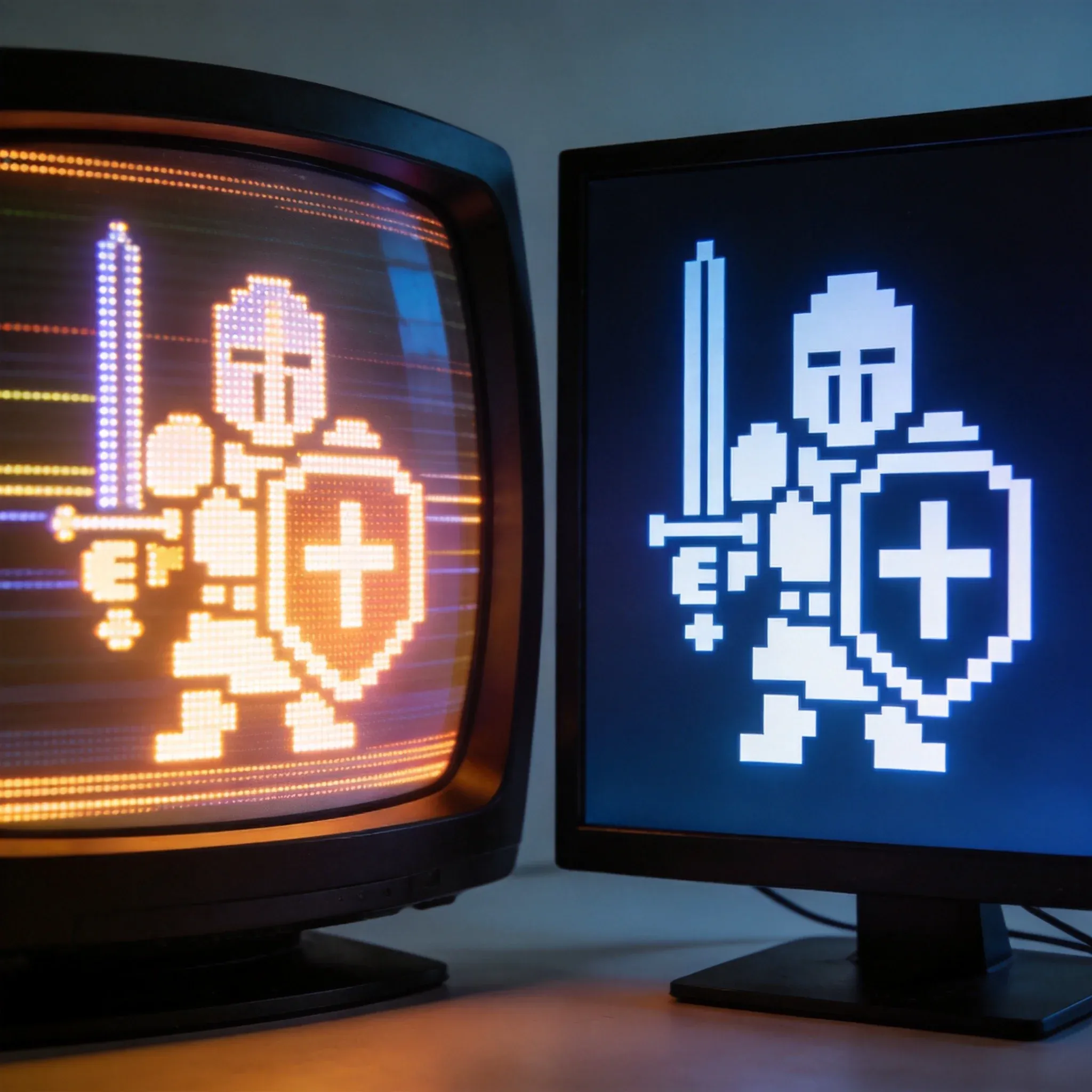
On a modern LCD, the game's sprites look like a disjointed patchwork. The skeleton's shield is a mess of contrasting green, blue, and yellow pixels — raw data that never got assembled into a coherent image.
On a CRT connected via composite video, the skeleton transforms.
The scanlines mask the stair-step pixel edges, softening the rigid geometry. The phosphor bloom causes bright colors to bleed outward, blending the shield's blocky dithering into a smooth, rounded gradient that resembles shimmering magical energy. The creature's form becomes cohesive — eerie rather than blocky.
This isn't subjective. It's what the artists saw when they created these sprites, testing them on the same CRT displays their audience would use. The raw pixel data was never the finished product. It was half the equation.
The Complete Toolbox
The 0.5 dot technique wasn't the only tool in the CRT-aware artist's kit. Two others deserve mention:
Dithering. By arranging pixels in patterns — checkerboards, lines, noise — artists could simulate colors their hardware didn't support. The Commodore 64 had a fixed 16-color palette. Mayhem in Monsterland (1993) used dithering so extensively that it appeared to have dozens of colors. On a CRT, the slight phosphor blur blended those checkerboard patterns into smooth intermediate shades. On an LCD, they remain visible as distracting pixel noise.
Anti-aliasing. Intermediate colors placed at the edges of a sprite to smooth curves. On a CRT, the scanline gaps naturally enhance this effect — the dark lines between rows of pixels make anti-aliased edges look even smoother than the raw data would suggest.
These techniques are still used in modern pixel art. But they were designed to work with CRT physics — the bloom, the bleed, the scanline gaps — and they lose effectiveness on displays that don't share those properties.
The CGA palette trick on early IBM PCs is a more extreme example. By using composite video artifacts — not the CRT tube itself, but the NTSC signal encoding — CGA systems could display up to 16 simultaneous colors on a composite monitor, compared to the standard 4-color RGB output. This required specific pixel patterns that relied on the composite signal's color carrier to blend adjacent dots into entirely new hues. The technique only worked over composite video; the same patterns viewed over RGB would resolve as flickering stripes. It's a reminder that the display chain — from code to signal to tube — was a single integrated design target.
Light Guns and Timing
There's one more piece of hardware that makes the CRT dependency obvious: the light gun.
NES Zapper, Sega Menacer, SNES Super Scope — these peripherals rely on a timing trick that only works on CRTs. When the trigger is pulled, the game displays a white rectangle at each target position. The light sensor detects whether it sees the flash and, crucially, when in the scanout cycle it occurred. The position is calculated from the timing — not from coordinates, but from how many microseconds into the scan the flash was detected.
This requires a display with deterministic timing: the electron beam must sweep at a fixed, predictable rate. Modern LCDs buffer frames, vary their timing, and refresh the entire panel at once. They cannot provide the temporal reference point that light guns need. This is why NES Zapper games don't work on modern TVs, and why the only reliable solution is to track down a CRT.
The frustration is real. One RetroGamingTalk member posted that he has a PS1, Point Blank, and a sealed copy of Time Crisis with an authentic G-Con45 ready to go — but "the light guns won't work on modern TV's and its impossible to find a CRT these days." His plea: "They seem to be a relic of the past :( really craving that nostalgia hit but playing these games with a controller is not the same at all."
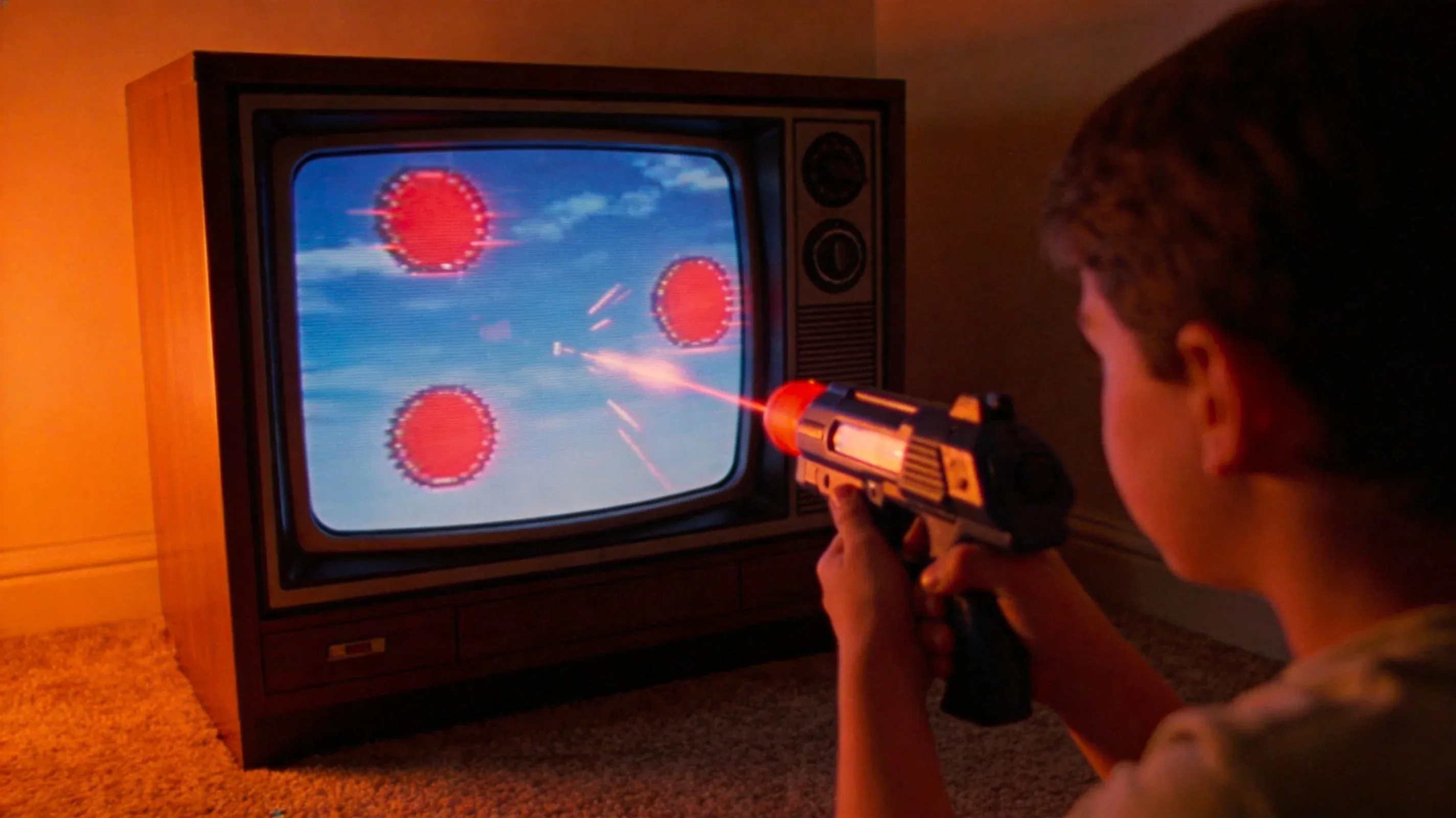 Some hardware mods and emulation workarounds exist — the Sinden Light Gun uses camera-based tracking, and some Wii emulation solutions approximate the timing — but none replicate the simplicity of the original CRT mechanism. It's one more piece of evidence that these games were designed for a world where CRT was the only option.
The Irony of the CRT Effect
The term "CRT effect" is usually used to describe what happens when you look at retro games on a modern screen and feel like something is off. The pixels are too sharp, the edges too harsh, the motion too jerky. You can't name it, but you feel it.
The irony is that the CRT effect is actually the absence of CRT behavior. What you're seeing is what the raw data looks like stripped of the display physics that were supposed to complete it. The "effect" is what's missing.
This extends beyond static image quality to motion handling. On a CRT, phosphors glow for roughly 2-3 milliseconds after being struck by the electron beam, then fade before the next frame. This creates a natural, minimal form of motion blur that occurs simultaneously for every moving object on screen — no latency, no processing delay. Fast-moving sprites appear fluid because your brain's persistence of vision fills the gap between frames.
On an LCD, pixels hold their state until the next frame replaces them. This is called sample-and-hold behavior, and it introduces a different kind of motion artifact: objects appear to "jump" between positions rather than move smoothly, especially at 60Hz. The eye perceives this as stroboscopic judder — the opposite of the smooth motion CRTs delivered naturally.
The eye comfort question comes up often in CRT communities. "Would you guys say CRTs feel better on your eyes?" one forum member asked. "That would be my reason for getting one." The reply was direct: less blue light. It's a reminder that the CRT experience isn't just visual — it's physiological. The same phosphor glow that makes pixel art blend also produces a warmer, less fatiguing light spectrum than the harsh backlight of modern displays.
The CRT Renaissance
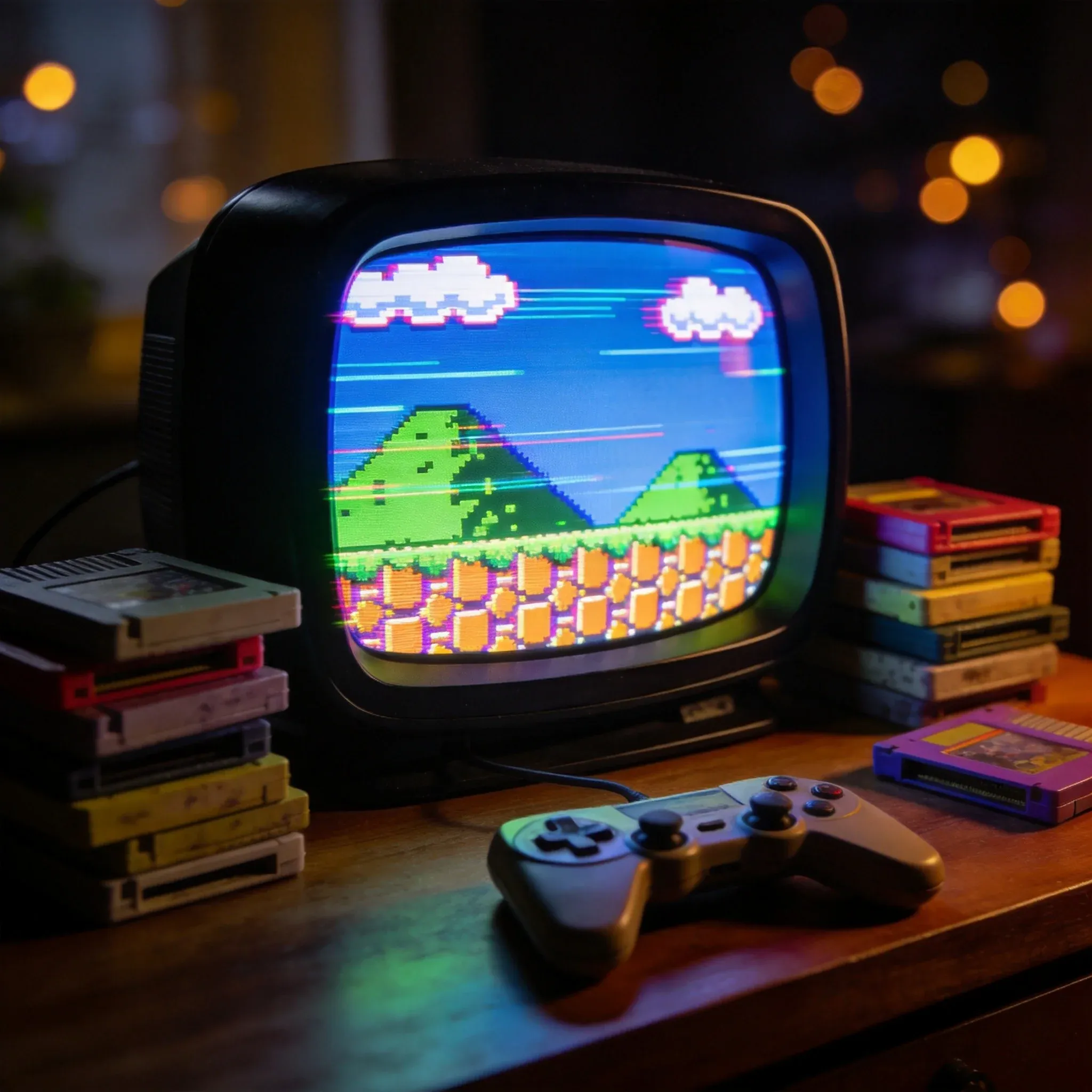
If CRTs are superior for retro gaming, you'd expect people to be abandoning them. Instead, the opposite is happening.
The CRT monitor market, according to Dataintelo's 2026 analysis, is growing at a compound annual growth rate of 4.5%. The retro gaming segment alone accounts for an estimated 17.3% of CRT monitor revenues. Forum activity on r/crtgaming and Arcade-Projects has surged — one 2026 survey showing a 40% increase in posts related to CRT maintenance and replacement.
On RetroGamingTalk, the "CRT Thread" has accumulated over 258 replies and 17,000 views since October 2024. Members post their setups: Sony PVMs connected to PCs via CRT Emudriver, Zenith CRTs paired with original hardware, SONY GDM-FW900s — the legendary "21-inch curved widescreen CRT monitor" that retailed for over $2,000 in 2001 and now sells for more on the used market.
"There's a dream you enter when you go back to CRT," one forum member wrote. "Or maybe you wake up from a nightmare after 15 years of LCDs."
Sony's Professional Video Monitors (PVMs) and Broadcast Video Monitors (BVMs) — originally designed for medical imaging and broadcast studios — have become the holy grail. A 14-inch PVM that cost $1,500 new in the 1990s can now sell for $1,000-3,000 used. Even standard consumer Trinitrons, once free on curbsides, now command £30-80 on the used market.
The contrast with the modern market is stark. "Flatscreens just can't match that brightness and deep blacks," wrote one Sony Trinitron owner on the forum, sharing photos of his setup. Another member, a collector who keeps over a dozen CRTs, simply noted: "less blue light" — a practical health observation that resonated with other members. One young player, born late enough to only have faint childhood memories of CRTs, described the feeling of finally getting one: "I just feel way more comforted and close to everything I play when using it... I feel like I'm finally doing it right."
The struggle to acquire them has become part of the culture. "I miss the time you could get good CRTs for free," one member lamented. Another drove 150 miles round trip to pick up a 27-inch Panasonic, maintaining constant communication so he could jump on it the moment another buyer fell through: "The market for them is something else." A third scored a '95 Trinitron from an estate sale — free, if he was willing to haul it out of the basement himself. When forum member Lee__Kanker found a mint-in-box 29-inch Philips for €140, the thread lit up with encouragement.
The driving force isn't nostalgia. It's that modern displays — even high-end OLEDs — cannot replicate the specific combination of zero input lag, native scanline rendering, and phosphor-based motion clarity that CRTs provide.
The Compromise: Filters and Shaders
Most people reading this won't hunt down a PVM. And CRTPlay runs in a browser — you can't exactly plug a Trinitron into your laptop.
The compromise is software: CRT filters and shaders that simulate scanlines, phosphor bloom, and color bleeding on modern displays. Emulators like RetroArch ship with dozens of CRT shader options — everything from subtle scanline overlays to full composite signal simulations that degrade the image in period-accurate ways.
These shaders are impressive engineering. But they're approximations. The datagubbe.se technical analysis puts it bluntly: "I've never seen a filter that can properly convey the peculiarities of a real world CRT." The author, a regular CRT user, always disables CRT filters when using emulators on modern systems.
Some players take the quest for the CRT look to surprising extremes. "I've watched anime through Retroarch just so I can apply a CRT shader to the anime," one forum member admitted — running an entire media player through an emulator's rendering pipeline just to get that phosphor glow on modern pixel art. Another who uses CRT shaders on his OLED monitor still isn't satisfied: "God damn I wish modern monitors could get rid of persistence blur, it annoys the crap out of me when I play Pokemon Crystal."
The same member who drove 150 miles for his CRT summed up the practical reality best. A Sony GDM-FW900 (the legendary $2,000 widescreen CRT monitor) looks impressive on a desk, he noted, but "it doesn't do retro games justice like a normal CRT, actually looks more like an LED screen." Even the most coveted CRT monitor ever made can't replicate a standard consumer TV for 240p content — further proof that the CRT effect isn't about quality, but about matching the display to the content. His FW900 found its niche with PS2-PS3 era games and early 3D PC titles, where its high resolution and deep blacks mattered more.
This doesn't mean they're useless. A good CRT shader — one that simulates scanline opacity, phosphor decay, and sub-pixel blending — can recover 60-70% of the intended look. That's enough to make pixel art look significantly better than the raw, unprocessed output.
At CRTPlay, all games run in your browser on whatever display you have. We don't impose CRT filters by default — that would be presumptuous. But understanding why the games look different on your screen than they did in 1990 is part of appreciating what they are. Some emulators on the site support shader options. Try them. Toggle them off and on. The difference is the CRT effect — not as a nostalgia filter, but as a reminder that these games were never meant to look like raw data.
What the CRT Effect Teaches Us
The broader lesson extends beyond retro gaming. It's about the relationship between content and display — a relationship that modern digital production has largely erased.
When you watch a movie on a calibrated OLED, you're seeing what the director intended. When you listen to a mastered track on good headphones, you're hearing what the engineer heard. But when you play a retro game on a modern LCD without any processing, you are not seeing what the artist intended. You're seeing the intermediate data, not the final image.
The CRT effect — the real one, the one that happens on an actual CRT — is not a flaw. It's the completion of a design process that assumed a specific display technology as the final rendering step. The scanlines, the bloom, the color bleed, the zero-latency motion — these aren't imperfections that a better display would fix. They were features that a finished game required.
CRTPlay exists because we believe those games deserve to still be played. Understanding the CRT effect is understanding that the display was never a neutral window. It was part of the game. The glass tube, the glowing phosphors, the scanning electron beam — they were the last piece of hardware the game's code was written for. Taking them out changes the game itself.
About the author
Allen (CRTPlay contributing editor) is the founder of CRTPlay and writes about retro gaming culture, emulation technology, and the history of pixel art.
Editor's Note
This article draws on technical analysis from datagubbe.se's "The Effect of CRTs on Pixel Art" (2024), Wackoid's "Why Retro Games Look Better on CRT TVs" (2026), and developer interviews from Siliconera's SNK developer retrospective. The 0.5 dot technique description comes directly from Kazuhiro Tanaka's account of Metal Slug's development. The CRT market data is sourced from Dataintelo's 2026 CRT Monitor Market report. The author has been playing retro games on both CRT and modern displays for over a decade and owns a Sony Trinitron KV-21X1R and a Commodore 1084S monitor.
Sources
- datagubbe.se — The Effect of CRTs on Pixel Art
- Wackoid — Why Retro Games Look Better on CRT TVs
- Siliconera — SNK Developers Talk About How Some Classic Arcade Games Were Made
- Dataintelo — CRT Monitor Market Report 2026
- RetroTechLab — Why Retro Games Look Better on CRT Monitors
- retrogametalk.com — CRT Thread
CRTPlay is a small, hand-curated collection of retro and open-source games you can play in your browser. We pick every game ourselves, test it, and write about why it's worth your time.