NES Emulator in 50KB of JavaScript: No WebAssembly Required
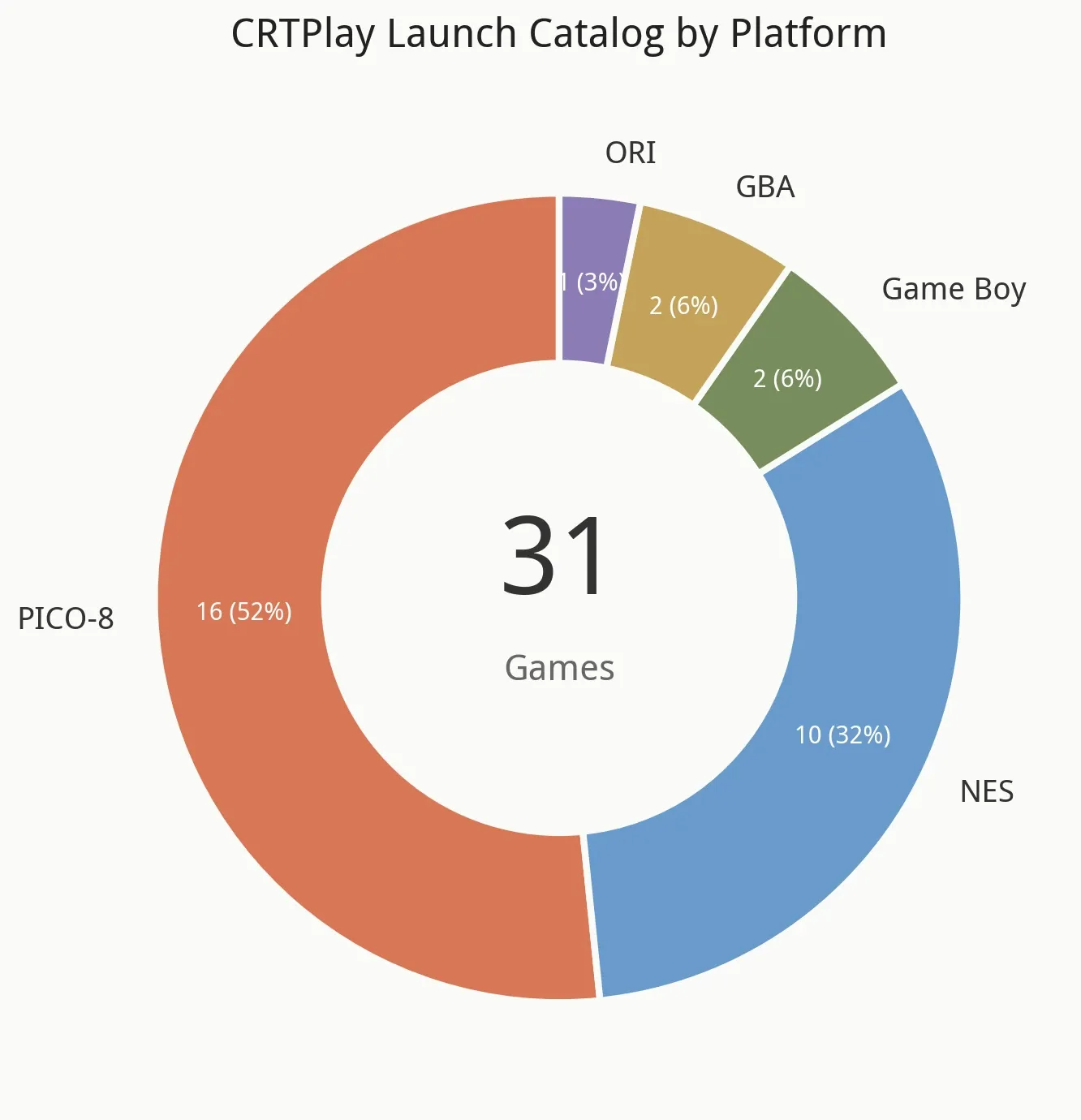
Allen shipped the GBA emulator first. I came in after and built the NES side. jsnes is 50KB of pure JavaScript — no WebAssembly, no SharedArrayBuffer, no cross-origin isolation headers. It loads in 100–200ms on desktop. Ten NES ROMs (1.3MB raw) compress to 660KB with Brotli. The hardest engineering problem we solved was a 44KB Flappy NES crashing at the fifth level because of an unhandled 6502 opcode. This is the story of why NES emulation in the browser is easy — after you've done GBA.
§1 Why NES Is the Web's Natural Emulator
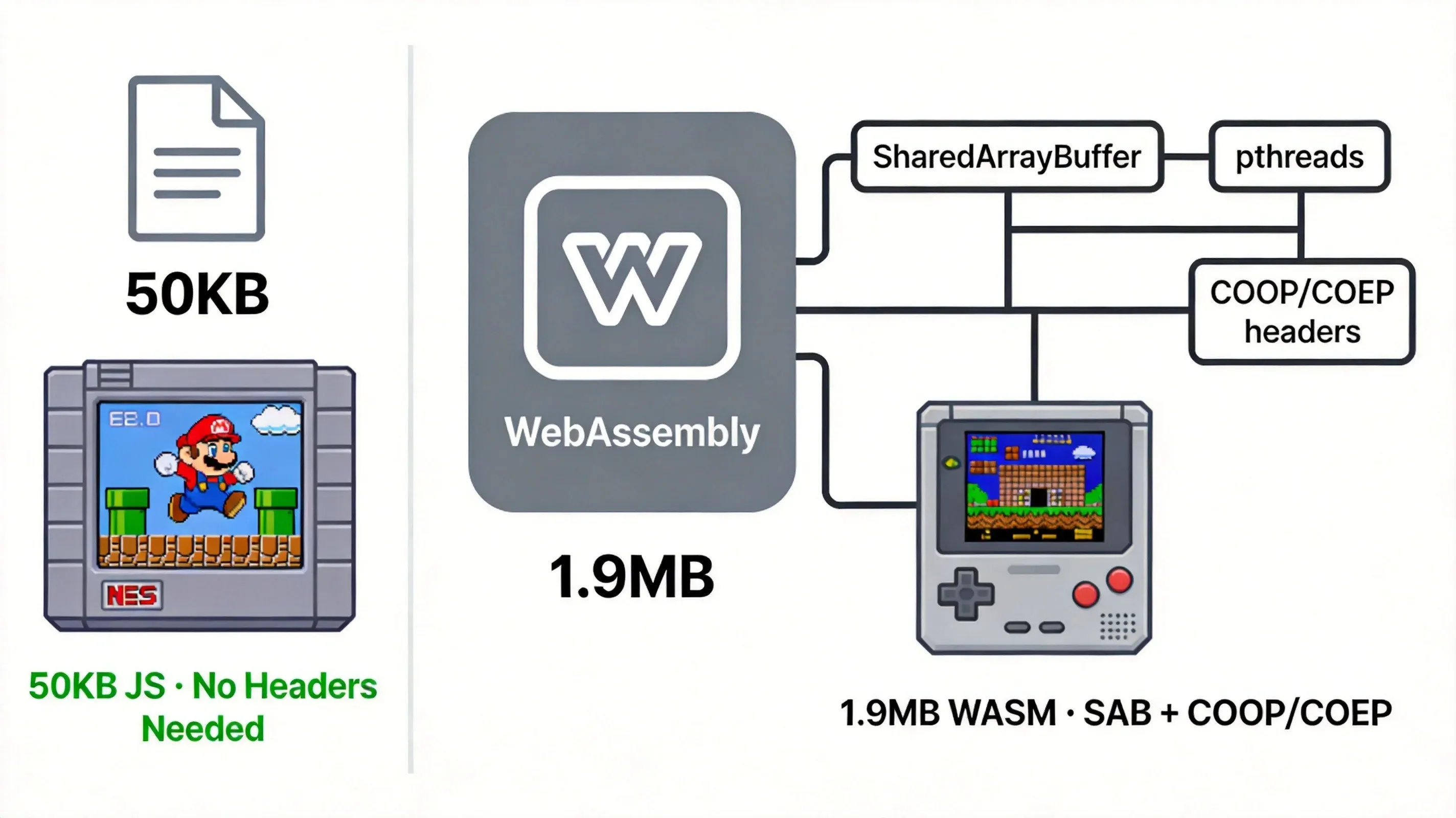
Allen called me in February. He said: "I got the GBA emulator working. It takes 1.9MB of WebAssembly, 256MB of shared memory, and three cross-origin headers. Now I need the NES one. Should be easier, right?"
I opened jsnes and stared at the code. 50KB. Working. No WASM. No SAB. No headers. The GBA article on this site opens with "NES emulation fits in 50KB of JavaScript with no special headers." That sentence isn't setup — it's the whole point.
Here's the comparison that made me pick up the phone:
| Dimension | NES (jsnes) | GBA (mGBA) | |---|---|---| | Emulator payload | ~50KB JS | ~1.9MB WASM | | Library language | Pure JavaScript | C → WebAssembly | | Threads | 1 (main thread) | 3 pthread (CPU/Video/Audio) | | SharedArrayBuffer | Not needed | 256MB required | | COOP/COEP headers | Not needed | Required | | Desktop startup | 100–200ms | 6–13s | | Mobile cold 4G startup | 0.3–7s | 65–135s | | Restart delay | ~100ms | ~200ms |
The NES runs at 1.79MHz. The GBA runs at 16.78MHz. The pixel count difference (61,440 for NES vs 38,400 for GBA) doesn't tell the real story — the NES has no MMU, no DMA controller, no interrupt controller, no protection modes. The 6502 CPU has three general-purpose registers (A, X, Y). That's it. A basic 6502 emulator fits in 200 lines of C.
I'm not saying NES emulation is trivial. It's not. But the NES was designed in 1983 with barely enough hardware to draw 256×240 pixels. The PPU is basically a scanline-driven memory scanner — it fetches tiles, decodes attributes, composites sprites, and spits out a pixel every cycle. The CPU barely participates in rendering. 43 years later, that's why a ~50KB JavaScript file can emulate the whole thing.
§2 Picking jsnes
I evaluated five candidates before settling on jsnes:
| Candidate | Chosen? | Why | |---|---|---| | jsnes | ✅ | 50KB pure JS, single-threaded, no SAB, embed-friendly | | fceux-wasm | ❌ | WASM >500KB, slow startup, poor embed API | | NESBox / full web apps | ❌ | Standalone web apps, not embeddable in React | | TetaNES / other pure JS | ❌ | Community-maintained, unstable API, sparse docs | | Writing a 6502 from scratch | ❌ | Massive work, accuracy risk — jsnes is battle-tested |
Three reasons jsnes won:
1. Zero infrastructure. jsnes needs nothing. No WebAssembly compilation step. No SharedArrayBuffer allocation. No cross-origin isolation negotiation. You call import("jsnes"), create a Browser instance, call loadROM(), and the emulator starts. The browser doesn't need special headers. The server doesn't need special configuration. The ROM doesn't need special formatting. It just works.
2. Embed-friendly API. The Browser constructor takes a DOM container — new Browser({ container: HTMLElement }) — and handles the rest internally. Canvas 2D rendering, Web Audio synthesis, keyboard input, frame timing. It doesn't require an entire page. You can put it in a <div>.
3. Patchable. jsnes ships both CJS (dist/jsnes.js) and ESM (src/) builds. Next.js Turbopack resolves to src/cpu.js directly. This duality is usually a headache. In our case, it meant we could write a postinstall script that patches both files in one pass.
The integration into the React app follows a four-step dance:
// Step 1: Dynamic import — avoid SSR parsing of CJS deps
const { Browser } = await import("jsnes");
if (cancelled) return;
// Step 2: Fetch the ROM
const resp = await fetch(romUrl);
const romBuf = await resp.arrayBuffer();
// Step 3: Clear container, create Browser instance
if (containerRef.current) containerRef.current.innerHTML = "";
const browser = new Browser({
  container: containerRef.current!,
  onError: (err) => console.error("[NesEmulator] runtime error:", err),
});
// Step 4: Load ROM
browser.loadROM(new Uint8Array(romBuf) as unknown as string);
The dynamic import is critical. import("jsnes") vs import { Browser } from "jsnes" — the difference is SSR. Static imports force Next.js to resolve jsnes's CJS dependencies during server-side rendering, which breaks because jsnes references browser globals (CanvasRenderingContext2D, AudioContext). Dynamic import defers resolution to the client. It also means the 50KB payload is only downloaded when someone visits the play page — not on every route.
§3 Loading 10 ROMs in 1.3MB
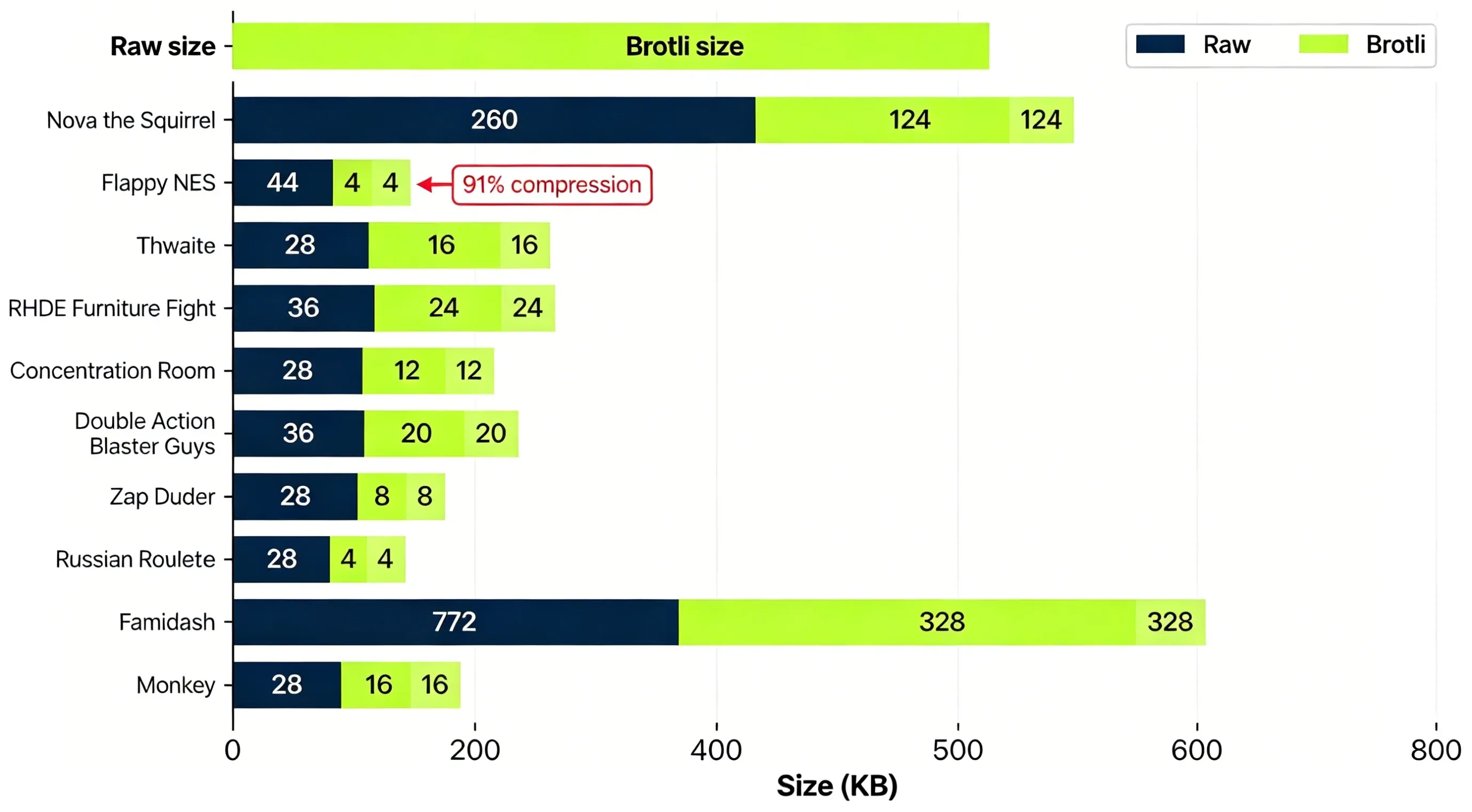
CRTPlay ships 10 NES games. Total ROM size: 1.288MB. After Brotli compression: 660KB. That's a 51% average reduction.
The biggest outlier is Famidash at 772KB — a Geometry Dash homebrew port that's 27× larger than the median NES ROM and the only one using Mapper 1 (MMC1) instead of the simple NROM (Mapper 0). The second biggest is Nova the Squirrel at 260KB. Everything else is 28–44KB.
| Game | Raw | Brotli | Ratio | Mapper | |---|---|---|---|---| | Nova the Squirrel | 260 KB | 124 KB | 48% | 0 | | Flappy NES | 44 KB | 4.0 KB | 9.1% | 0 | | Thwaite | 28 KB | 16 KB | 57% | 0 | | RHDE: Furniture Fight | 36 KB | 24 KB | 67% | 0 | | Concentration Room | 28 KB | 12 KB | 43% | 0 | | Double Action Blaster Guys | 36 KB | 20 KB | 56% | 0 | | Zap Ruder | 28 KB | 8.0 KB | 29% | 0 | | Russian Roulette | 28 KB | 4.0 KB | 14% | 0 | | Famidash | 772 KB | 328 KB | 42% | 1 (MMC1) | | Monkey | 28 KB | 16 KB | 57% | 0 |
Flappy NES at 4KB Brotli is smaller than a 480p JPEG. I actually ran the Brotli check three times because 4KB didn't sound right — 91% off 44KB. It's real. The ROM is mostly repeated 8×8 tile data and Brotli eats that for breakfast. Russian Roulette does the same trick: 28KB → 4KB, 86% compression.
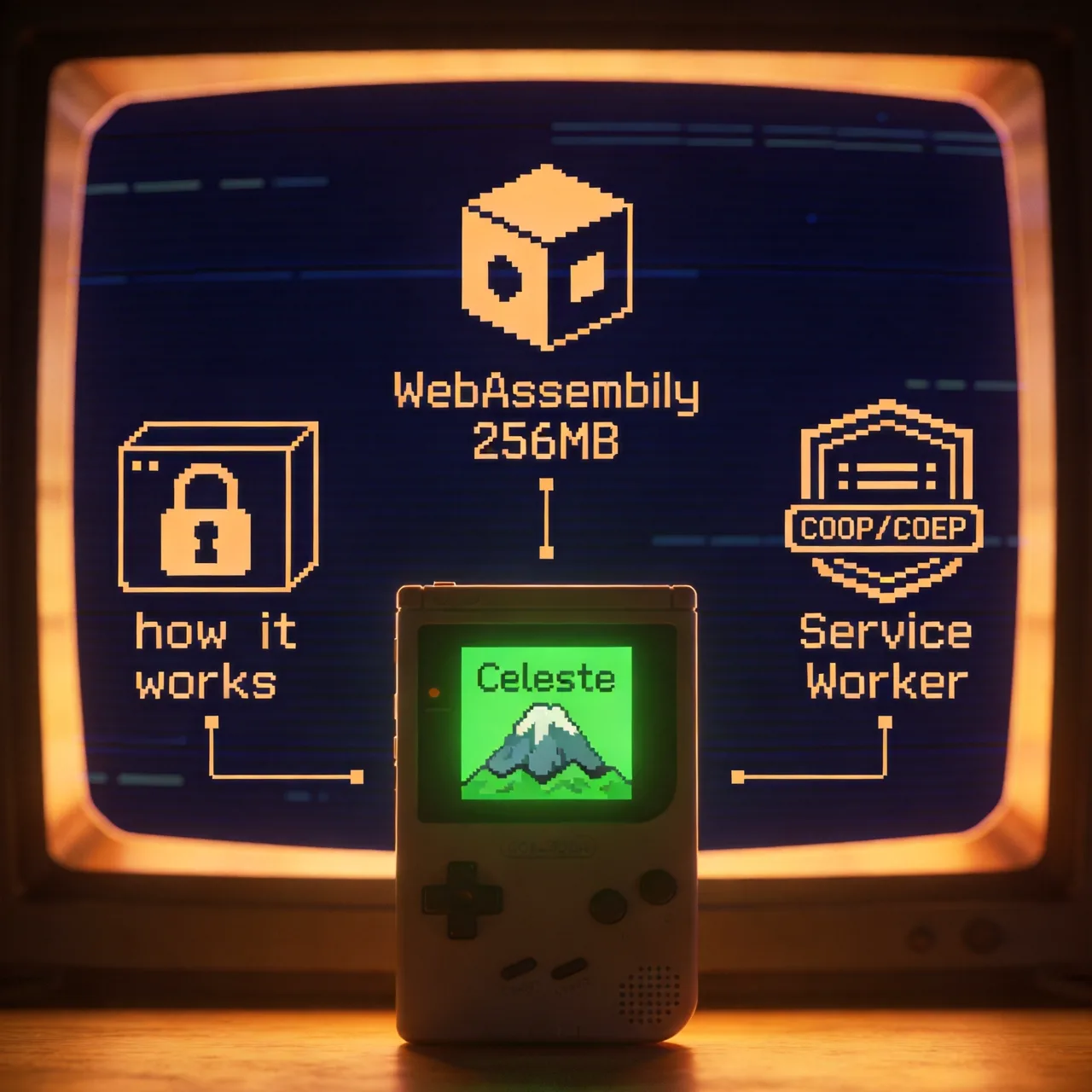
The Brotli strategy reuses the same Service Worker from the GBA and GB emulators. The SW intercepts requests to /roms/nes/*.nes, rewrites the URL to .nes.br, and the browser decompresses natively via Content-Encoding: br. About 40 lines of code. Works for all three platforms.
The startup chain, measured on desktop (Chrome, Service Worker warm):
import("jsnes")— 50–100ms first load, ~10ms cachedfetch(romUrl)— ~5ms (Service Worker cache hit)- Brotli decompression — browser-native, effectively zero-cost
browser.loadROM()— jsnes parses iNES header + loads ROM- First frame rendered and 60 FPS loop starts
Desktop (cache hit): 100–200ms total.
Mobile cold 4G: ranges from 0.3s (Flappy NES, 4KB) to 4–7s (Famidash, 328KB).
Compare that to GBA: 65–135s on mobile cold 4G. The difference is 10–200×.
§4 The Invalid Opcode Patch
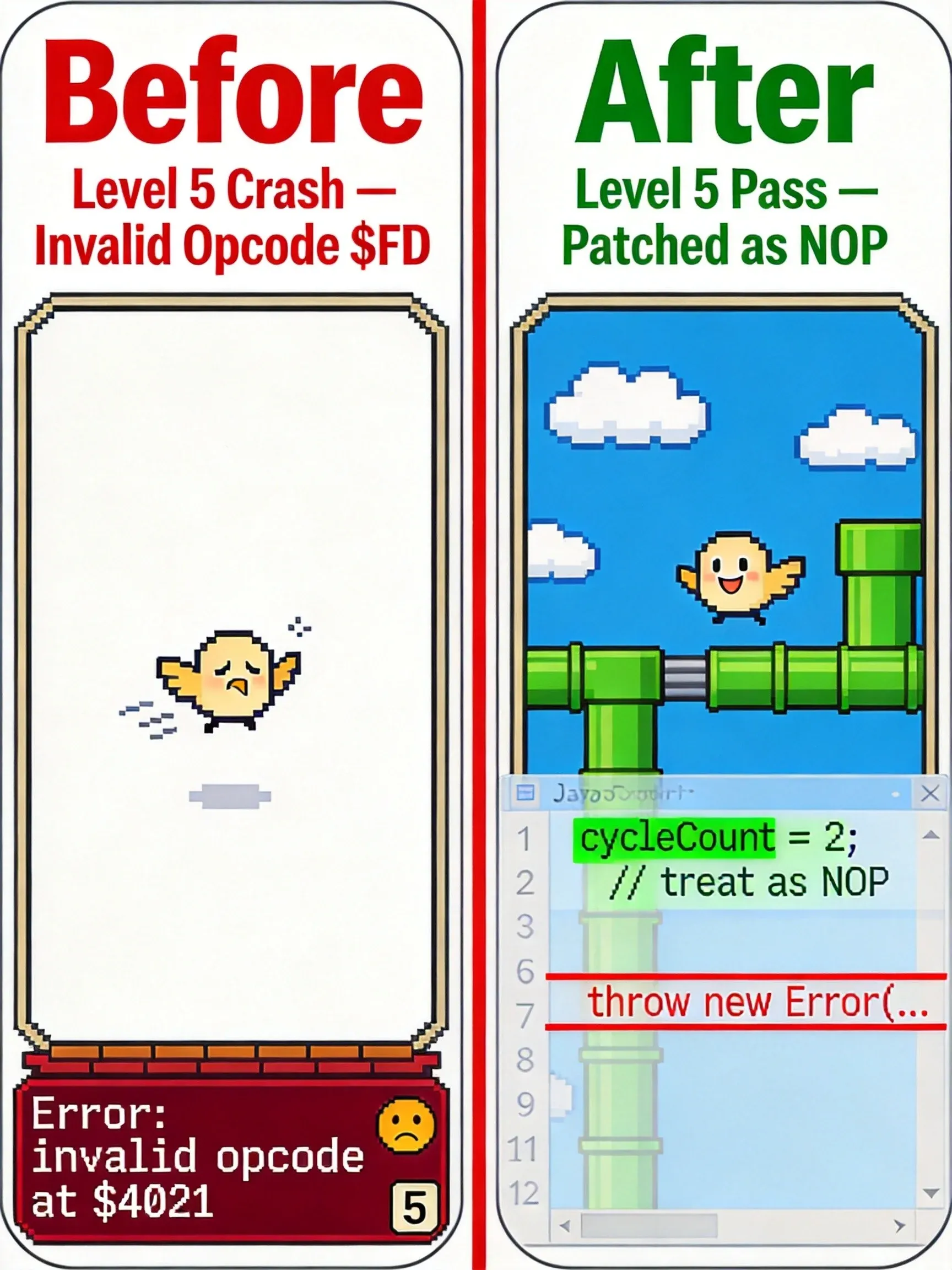
I was testing Flappy NES on my phone — subway commute, no wifi — when the page went blank at level 5. Or maybe it was level 6, I wasn't keeping track. Not a crash — a full white screen. Console: unhandled promise rejection. jsnes's cpu.js hit an opcode it didn't recognize and threw:
// jsnes/src/cpu.js (upstream)
default:
  throw new Error(`Game crashed, invalid opcode at address $${opaddr.toString(16)}`);
The MOS 6502 has 56 documented instructions. But homebrew games — especially ones ported from other platforms — occasionally produce illegal opcodes. The CPU's real behavior on illegal opcodes is undefined but usually harmless: it either acts as a NOP or does something weird that the game doesn't notice. jsnes's upstream behavior was to crash the entire emulator.
The fix: patch the throw into a warning. Treat unknown opcodes as 2-cycle NOPs. The game keeps running, possibly with a visual glitch. If it gets stuck, the player presses Restart.
This might break other games — treating an unknown opcode as a NOP when the game actually expects a side effect could corrupt memory. So far, none of the 10 ROMs we ship have complained. If one does, we'll know.
// scripts/patch-jsnes-invalid-opcode.mjs
// Before: throw new Error(...)
// After:
if (!this.__invalidOpcodeWarned?.has(opaddr)) {
  if (!this.__invalidOpcodeWarned) this.__invalidOpcodeWarned = new Set();
  this.__invalidOpcodeWarned.add(opaddr);
  console.warn("[jsnes] unknown opcode at $" + opaddr.toString(16) + " — skipping as NOP");
}
cycleCount = 2;
break;
The patch script runs as a postinstall hook. It patches two files: dist/jsnes.js (the CJS build) and src/cpu.js (the ESM source — Turbopack resolves to this one). It's idempotent: if the file already contains the patched by scripts/... comment, it skips.
The trade-off is obvious in hindsight: upstream jsnes chose correctness, we chose 'don't crash.' Correctness means throw on anything unexpected. Don't crash means the user can finish level 5, maybe with a flickering tile they won't notice. For homebrew games running in a browser, this is the right call. The user wants to play, not see an error message about opcode $EB at address $4021.
§5 Mobile Touch Controls
The second story has nothing to do with NES emulation and everything to do with Chinese mobile browsers.
A user reported that long-pressing the directional pad on iPhone WeChat in-app browser would stop responding after 3–5 seconds. The character would just stop moving.
Root cause: WeChat's X5 kernel (a Blink fork) has a bug where KeyboardEvent.keydown stops dispatching during sustained key holds. I spent two hours in Chrome DevTools remote debugging before realizing it wasn't a normal web event issue — the DOM events fire fine on every other browser. Standard web API assumption violated. No workaround possible at the DOM event level.
The solution was architectural. Instead of relying on KeyboardEvent for mobile controls, we exposed jsnes's native button API through a forwardRef handle:
// NesControllerHandle: { buttonDown, buttonUp, restart }
// PlayClient's touch controls call this directly:
nesRef.current?.buttonDown(1, button);
nesRef.current?.buttonUp(1, button);
Desktop still uses keyboard events. Mobile uses direct API calls. Both converge on the same jsnes controller state.
But there was a second mobile problem. jsnes polls button state per frame (at 60fps, once every 16.6ms). If a touch event fires and lifts within a single frame — say, a 5ms tap — the emulator's main loop never samples the "pressed" state. The input is lost.
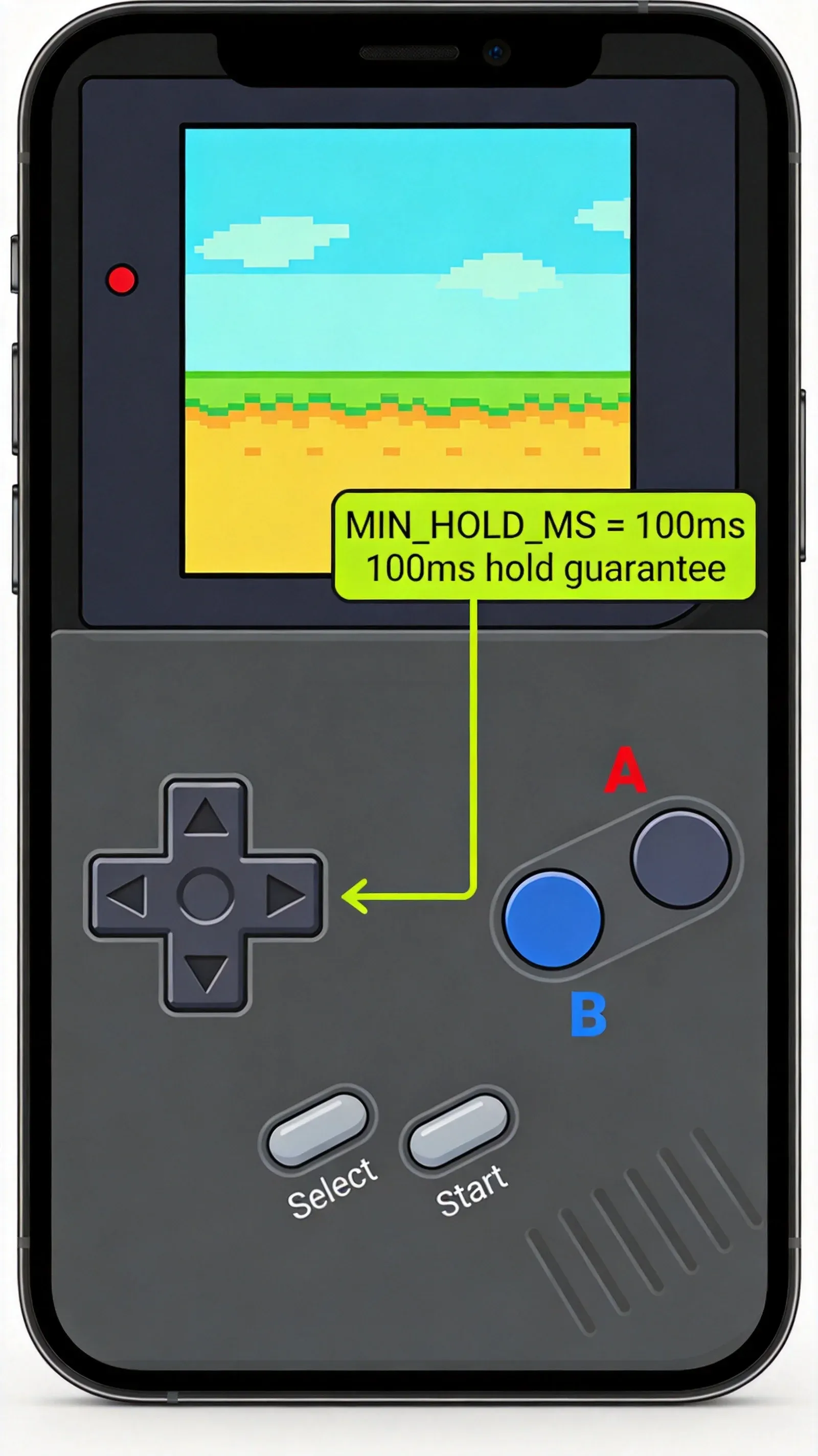
Fix: enforce a minimum press duration of 100ms on touch interactions.
const MIN_HOLD_MS = 100;
const touchButton = (action: "down" | "up", button: number) => {
  if (action === "down") {
    pressStartRef.current.set(button, Date.now());
    doPress(button);
  } else {
    const start = pressStartRef.current.get(button) ?? Date.now();
    const elapsed = Date.now() - start;
    const remaining = Math.max(0, MIN_HOLD_MS - elapsed);
    if (remaining === 0) {
      doRelease(button);
    } else {
      setTimeout(() => doRelease(button), remaining);
    }
  }
};
On a 60fps device, this guarantees at least one "down" frame sample. The 100ms is invisible to human perception but critical to the emulator's state machine.
§6 What We Got Wrong
Every emulator project has a "we fixed it later" list. Here's ours.
1. Restart triggered a full React remount. Early version used setGameKey((k) => k + 1) to force React to unmount and remount the entire NesEmulator component. On mobile, this meant re-fetching the ROM, re-initializing jsnes, and waiting 1–2 seconds of blank screen. The fix was trivial once I discovered jsnes has a native nes.reset() method:
restart: () => {
  browserRef.current?.nes?.reset?.();
},
CPU registers clear. PPU state resets. ROM stays in memory. Restart goes from 1–2s to ~100ms. The frame buffer repaints on the next animation frame.
2. No ResizeObserver. Tested on a 4K monitor. The NES's 256×240 output stretched to fill the full width of a 3840-pixel viewport. The pixel art looked like a watercolor painting. Fix: add ResizeObserver + fitInParent() to auto-scale the canvas with image-rendering: pixelated.
3. No cleanup hook. Route away from the play page, come back — memory leak. jsnes wasn't being destroyed. Fix: useGameCleanup hook that calls browser.destroy() on unmount.
4. TypeScript type mismatch. browser.loadROM() declares (data: string): void in jsnes's type definitions, but the runtime implementation accepts Uint8Array. The fix is a type cast that looks silly:
browser.loadROM(new Uint8Array(romBuf) as unknown as string);
It works. It's ugly. I should PR the fix upstream. I haven't yet.
5. No loading animation. The first version showed a blank container while the emulator initialized. On a cold 4G Famidash load, that's 5–7 seconds of staring at nothing. Fix: a 4-state loading UI (unavailable → loading → ready → error) with a bouncing pixel animation.
Other things I decided not to fix:
- Full 6502 illegal opcode support. Our NOP patch is good enough for the 10 games on the site. If a new game crashes on an opcode we don't know, it's still going to crash. We haven't fixed that and I'm not sure we will.
- Save state support. jsnes has
toJSON()/fromJSON()for save states. We don't expose it in the UI. The ROMs on CRTPlay are short-session games (Flappy NES, Russian Roulette) or procedurally generated. Save states would add a UX surface we don't need yet. - Gamepad API. jsnes supports it natively. We haven't wired it to the React layer. Desktop keyboard + mobile touch covers our current audience.
Those five fixes from §6 — Restart remount, ResizeObserver, cleanup, typing, and loading UI — are the ones that actually bothered real users. The three I listed above as 'not fixing' are the ones that were less painful than the code they'd require. That's the honest split.
If there's one thing to take away from both this article and Allen's GBA post: NES emulation in a browser is a solved problem in 50KB of JavaScript. The hard parts were a 6502 opcode nobody documented and a Chinese browser that doesn't fire keyboard events properly.
References
- jsnes — the library that made this possible
- NESDev Wiki — every PPU detail I didn't have to figure out myself
- MDN SharedArrayBuffer and Cross-Origin-Isolation — the two things we didn't need
- MOS 6502 instruction set — 56 documented opcodes and the edge case that bit us
- Brotli RFC 7932 — why 44KB becomes 4KB